
How to Switch Home Inspection Software Without Losing Data (2026)
On this page
- Before you switch: is it worth it?
- The safe migration plan (no downtime)
- 1. Start free — keep your current tool running
- 2. Rebuild your core templates first
- 3. Run a few inspections in parallel
- 4. Export your historical data
- 5. Switch over and keep the archive
- Avoid the next lock-in
- An any-month money-back safety net
How to Switch Home Inspection Software (Without Losing Data)
Most inspectors stay on software they've outgrown because switching feels risky. Done right, it isn't. Here's a safe, no-downtime migration plan you can run alongside your current tool.
Before you switch: is it worth it?
Switching has a real cost — rebuilding templates, learning a new tool, retraining a team. Only do it for a reason that pays back: climbing tiers or per-report fees, a missing capability (booking, payments, team roles), or concern about data ownership after a price hike or acquisition. If your current tool fits and scales fine, stay.
The safe migration plan (no downtime)
1. Start free — keep your current tool running
Use Inspector Hub's first 5 inspections free, no credit card, so you're never paying for two tools or working without a safety net. Don't cancel anything yet.
2. Rebuild your core templates first
Your templates are the heart of your workflow. Recreate your 1–3 most-used templates in the new tool (or adapt a starter template). Switching to Inspector Hub? Contact us — we do the migration with you rather than handing you a file format, because every platform exports differently and the edge cases are in the details. This is the bulk of the work — do it once, do it well.
3. Run a few inspections in parallel
For a week or two, do real inspections in the new tool while your old one stays available as backup. This surfaces the rough edges before you commit.
4. Export your historical data
Pull your inspection history, client records, and agreements out of the old platform in standard formats. Keep a clean archive regardless of where you land — it's your business record.
5. Switch over and keep the archive
Once the new tool is carrying your real jobs comfortably, make it primary. Keep your exported archive from the old platform for reference and liability.
Avoid the next lock-in
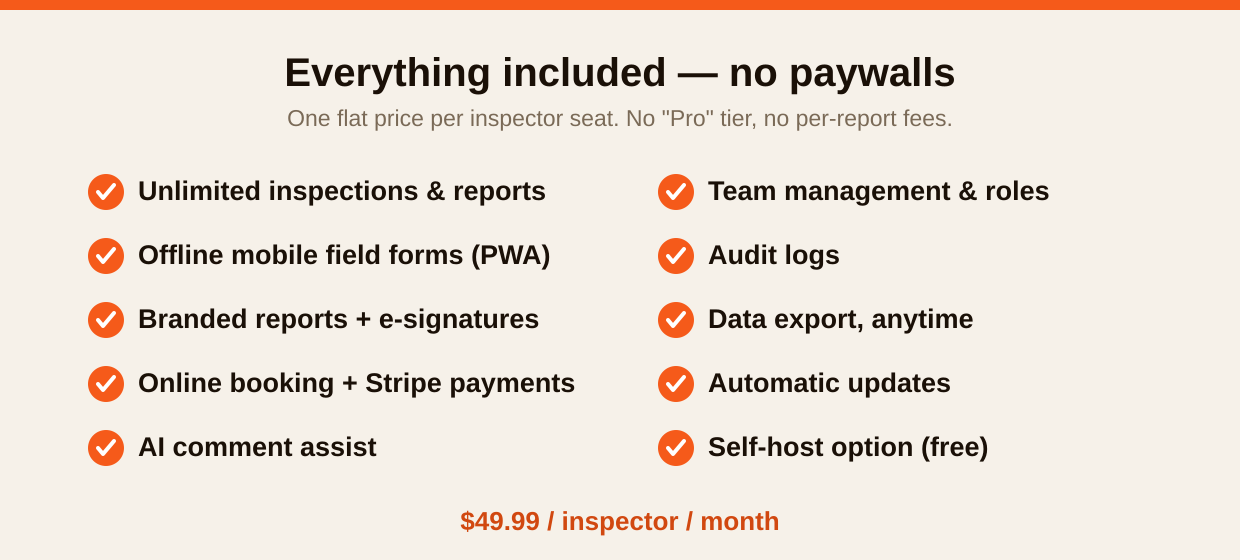
The reason switching feels scary is lock-in — and you can avoid recreating it. Choose a tool where you can export everything yourself, anytime. Inspector Hub goes further: it's open source (AGPL v3), so your exit is permanent — if its pricing or ownership ever changed, you could self-host the identical software for free. You never have to do a stressful migration again.
An any-month money-back safety net
Inspector Hub backs the switch with an any-month money-back guarantee on every month you subscribe. Between the free inspections and the guarantee, the financial risk of trying is effectively zero.
Ready to test a switch safely?
Last updated June 2026.
Keep reading
Home Inspection Report Software: What Makes a Great Report (2026)
Home inspection report software that produces branded, mobile-friendly reports with photos, e-signatures, and AI comment assist — at $49.99/seat, all included. What to look for in report software in 2026.
ReadHome Inspection Software Pricing: A 2026 Guide to What You'll Really Pay
A clear 2026 guide to home inspection software pricing: base prices, per-inspector charges, per-report fees, and premium tiers — and how to calculate your real monthly cost before you buy.
ReadHow to Choose Home Inspection Software (2026 Buyer's Guide)
A practical, vendor-neutral guide to choosing home inspection software in 2026: pricing models, data ownership, offline field apps, report quality, and the 7 questions to ask before you buy.
ReadRun inspections on software you control
Inspector Hub gives you modern field reports and a client portal — hosted for you, or run it yourself free on the open-source OpenInspection engine. Your data, always yours.