
Creating your agent account
Documentation
This page is for the real-estate agent. Your clients' inspectors use Inspector Hub; your account is how you keep track of the inspections you are named on, across all of them.
Why you have an account at all
Your clients get their reports without accounts — a link is enough for a one-off document. You are in a different position: you are named on inspections for many clients, by more than one inspection company, over and over.
That is what the account is for. One account spans every company that names you, so your dashboard is your book of business rather than one inspector's view of you. There is nothing to set up per company: when a new one names you on an inspection, it appears.
Signing up
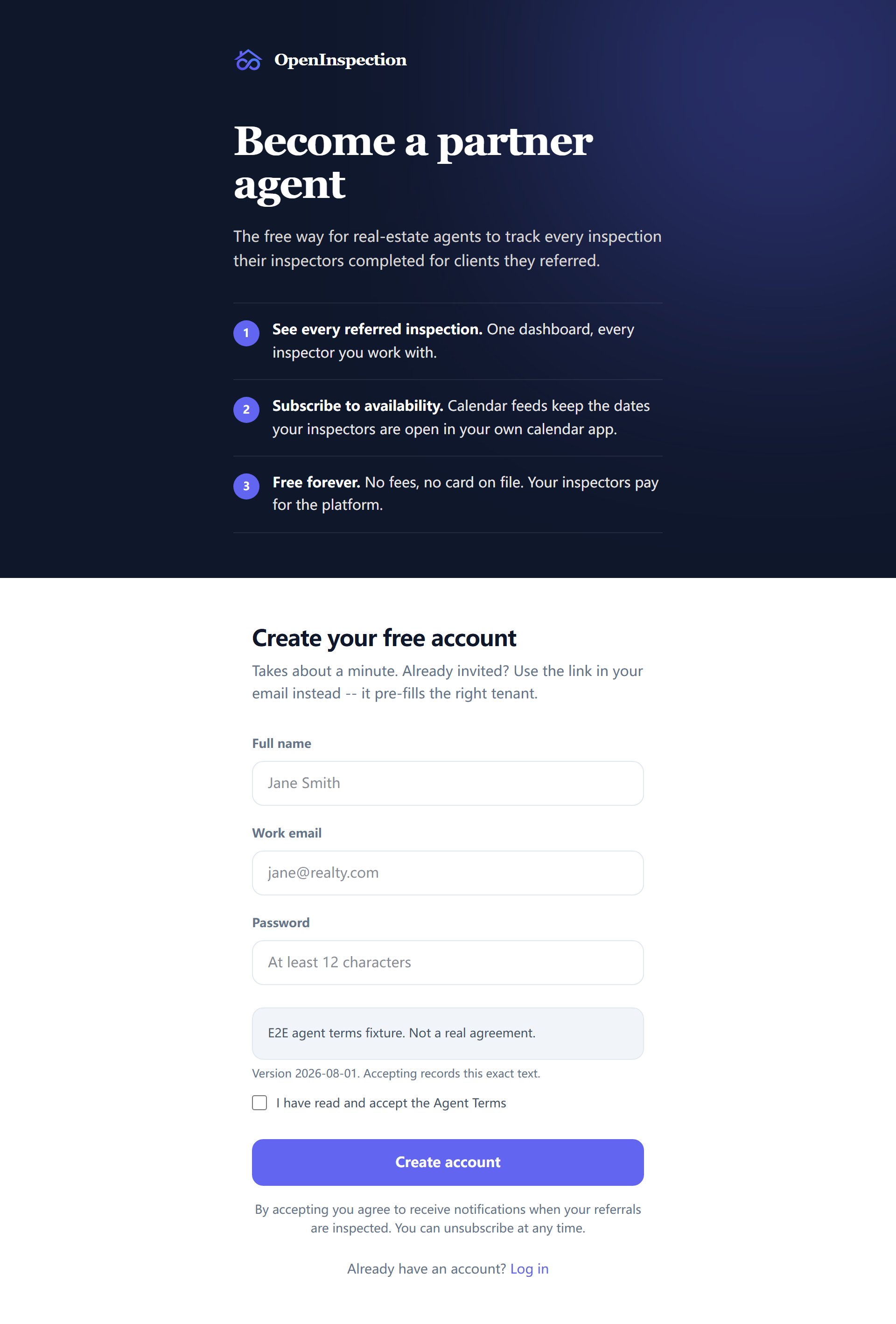
Sign up at /agent-signup on the inspector's site. If you arrived from a report
that was shared with you, your email is filled in and you land back on that
report when you are done.
Two things on this page are deliberate:
- A bot check. Anonymous sign-up is a door onto other people's inspection data, so it is challenged. It is never skipped.
- The terms are shown, not linked. The tick says you have read and accept the agent terms, and your account records the version and the exact text you were shown. A page that only linked to them would be recording an acceptance of a presentation that never happened.
If the terms change, you are stopped once on your next visit and asked to accept the new version. That is because only sign-up passes a consent screen — signing in with a password or a link mints a session for an account that already exists and asks it nothing, so the check has to live where every door leads.
Signing in
/agent-login takes either:
- Your password, or
- A link by email, if you would rather not have one.
The link path always says the same thing, whatever you type. That is not a glitch: an answer that varied would tell anybody whether a given agent has an account here.
Signing out is at /agent-logout.
Your profile, and how inspectors see you
/agent-settings/profile holds your name, your email, and your public profile —
which is what an inspector's booking page shows when a client is choosing an
agent, and what appears beside your name on inspections you are named on.
It also holds:
- Your timezone, as a personal override. Inspection companies each have their own, and yours may differ from all of them.
- Your notification settings — what reaches you, and by which channel. Text messages need your consent, recorded separately from email.
What your account can and cannot do
This is worth stating plainly, because the boundary is invisible until it surprises someone.
You can:
- see every inspection you are named on, across companies;
- open the reports you were given access to;
- see who inspected them;
- reach the repair list, where the inspection company allows it (see Your inspections and your inspectors).
You cannot do anything inside an inspection company. Not schedule, not edit a report, not publish, not invoice, not see other people's clients. Your account is a view onto the jobs you are part of — the staff role with the same name has no permissions at all, and that is not an oversight: an agent is not staff.
Where you need something changed on an inspection, the inspector who owns it is who can change it.