
Privacy, retention and your data
Documentation
Two pages: Compliance is the policy — how long things live and what is on record. Data is the plumbing — getting information in and out.
How long records are kept
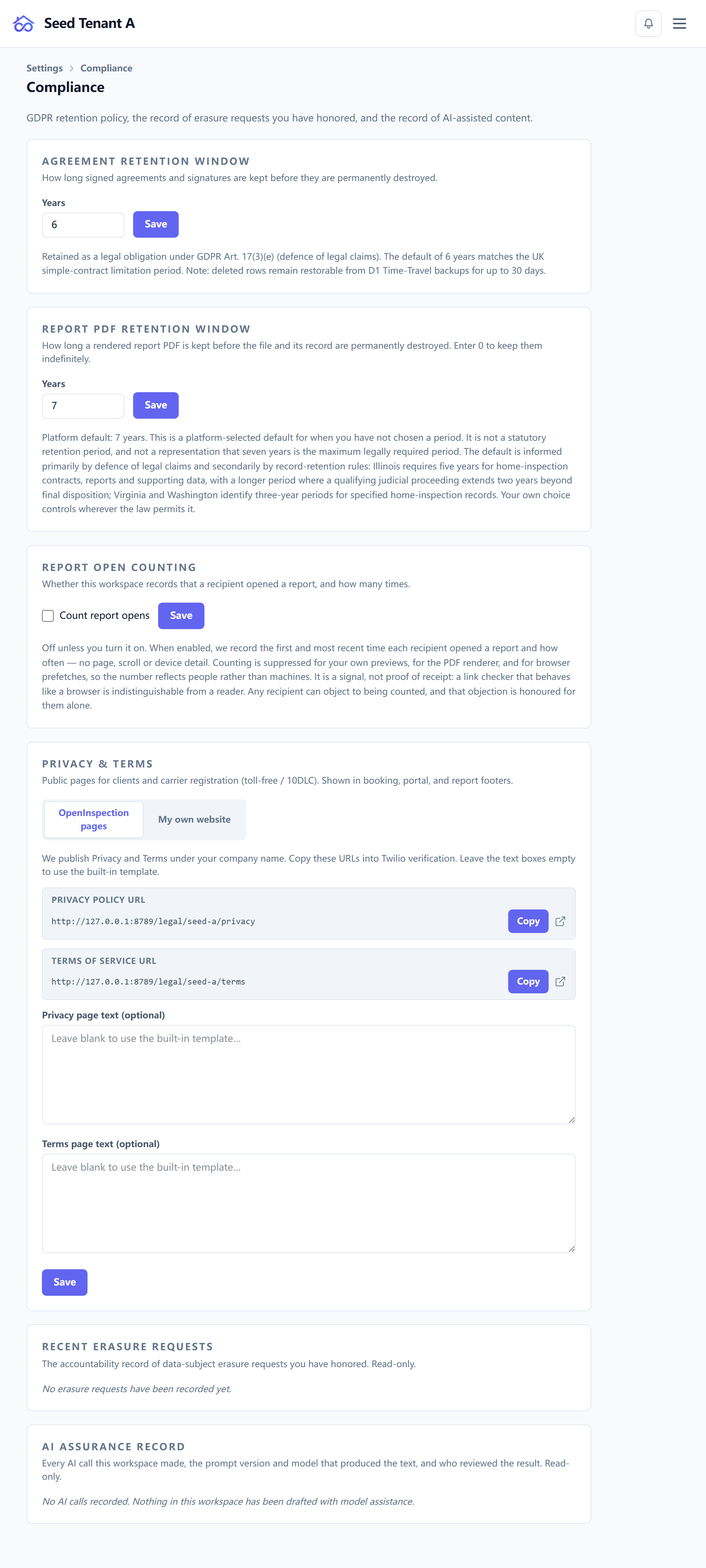
Two independent windows:
| Window | Range | What it governs |
|---|---|---|
| Records retention | 1–99 years | Inspection records |
| Report PDF retention | 0–99 years | Rendered report PDFs |
Zero is only available on the PDF window, and it means keep indefinitely. It is treated as an instruction you gave, not as a field nobody filled in. The records window starts at one year, because a retention policy of "no time at all" is not a policy.
Set these to what your professional obligations actually require. They run on a schedule against real data — a shorter window is not a display preference.
The erasure log
Below the windows sits a read-only record of erasures already carried out. It exists to be read back: when somebody asks whether a request was honoured, the answer is a row with a date, not a recollection.
Whether report views are counted
The same page carries the switch for counting report views. What that record does and does not prove — and why "opened" is not "read" — is in Delivering the report.
Turning it off is a legitimate choice. A recipient can also object on their own behalf, from the report page.
Your privacy policy and terms
You either use the hosted documents or point at your own. Where you supply your own, the addresses you give are what every public page links to — the booking page, the report, the client portal.
If you operate your own company, your own documents are almost always the right answer: your clients are contracting with you, not with a platform.
When the platform's own terms change
Applies to: Hosted only
A material change to the platform Terms or Privacy Notice is put in front of you before you can carry on, and the prompt says what changed above the document rather than below it — as a list, with an explicit line where a version limits your rights or remedies.
Where a version has no written summary it says that too, rather than showing nothing: "we did not write one down" and "nothing important changed" are different statements, and only one of them is true.
Accepting returns you to the page you were on. This is separate from your clients' agreement with you, which is Agreements and signatures.
The AI assurance record
A read-only ledger of every AI-assisted piece of text: which model, which prompt version, whose credentials, and whether a person reviewed it.
The rows are the AI calls, not the reviews, and that direction is the point. Listing reviews would answer "what did we confirm"; listing calls answers "what did a model write, and did anyone look at it" — which is the question that carries professional liability. The only colour in the table marks an unreviewed call.
Its counterpart in the editor, and what a review does and does not assert, is in Writing an inspection report.
Getting data in and out
Settings → Data holds four things:
- Export — a copy of your workspace's data.
- Import — the migration wizard, the one front door for bringing another system's records in.
- Cleanup — removing test data and other debris.
- Bundled content — the starter content that shipped with the workspace.
Export before anything irreversible. That is not a ceremony: an export is cheap, and the alternative is discovering afterwards which copy you did not have.