
Scheduling, availability and the booking page
Documentation
Three settings pages share one job: deciding when work can be booked, and what happens when someone books it.
Your working week
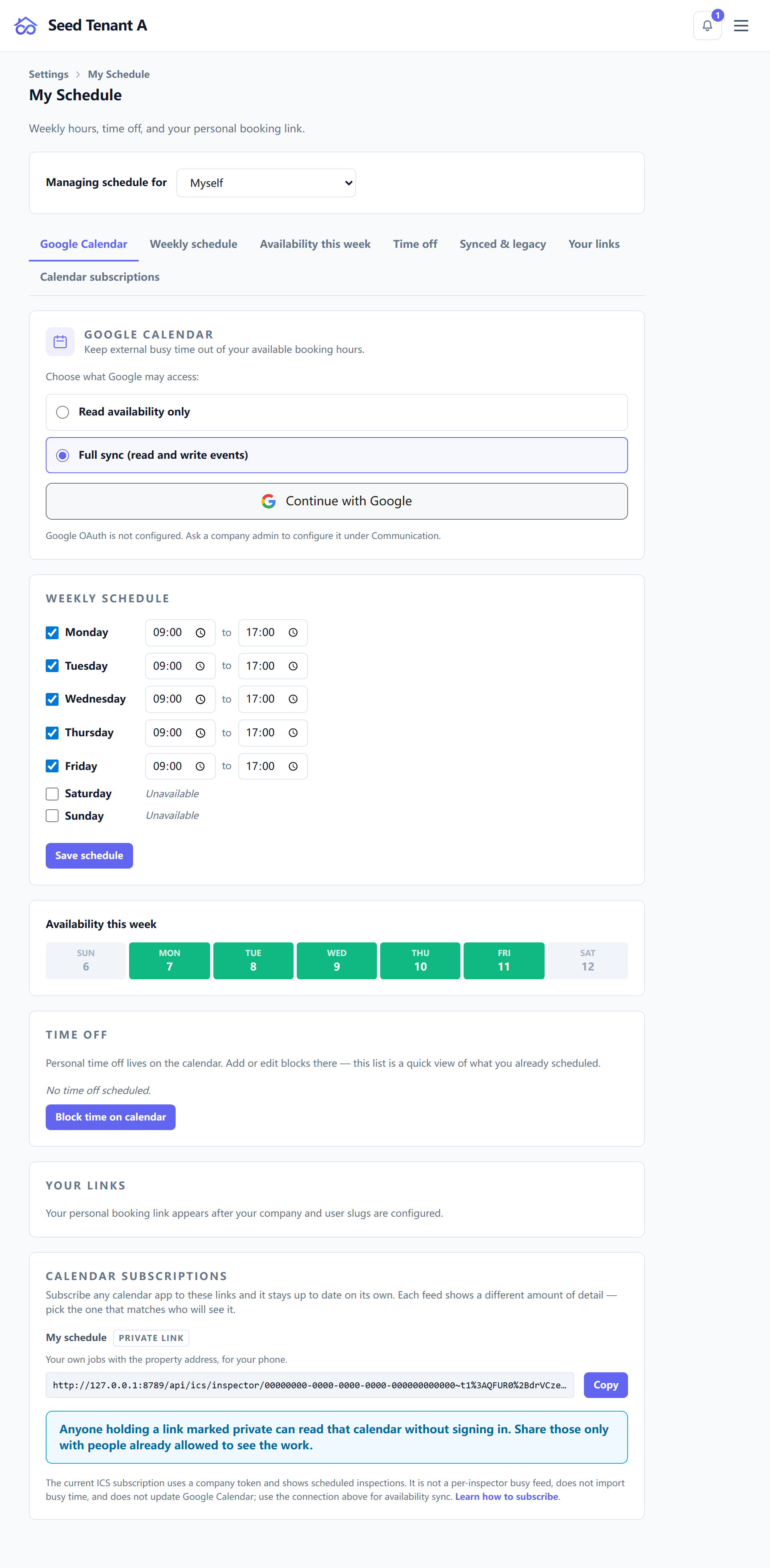
Settings → Schedule holds availability, in layers, each one narrower than the last:
| Layer | What it is |
|---|---|
| Weekly schedule | The recurring hours you work |
| Date overrides | A specific date that does not follow the weekly pattern |
| Time off | Blocks where you are unavailable |
| Availability heatmap | Where the coming week is already full — visible once there is anything to show |
Below those sit the ways your schedule reaches other software:
- Calendar connection — link an external calendar so bookings appear there.
- Schedule links — shareable links to your availability.
- ICS feeds — a subscription URL for a calendar app that prefers pulling.
Editing someone else's schedule is an administrator's job, not a permission: owners and managers get a picker for whose schedule the page is editing, and the choice lives in the URL so it survives a reload and can be linked to. Everyone else edits their own.
Visit types
Settings → Event types describes the kinds of visit a job can contain — the inspection itself, a radon drop-off, a radon pick-up, a re-inspection.
Each one carries a name, a stable slug, a default duration and price, a colour for the calendar, and a follow-up delay: how many hours after a visit is completed its follow-up goes out.
Zero is a real setting there — "tell them the moment the visit ends" — and is not the same as leaving it unset. Services reference these types by slug, so a type deleted and recreated under the same slug keeps working, and an unrecognised slug proposes nothing rather than dangling.
The public booking page
Settings → Online booking configures what a client meets. The policies themselves — whether clients choose their inspector, whether an agreement must be signed, concierge review of agent bookings, deposits — are explained from the job's point of view in Creating an inspection.
What lives here in addition:
- Booking links — your company link, and the per-inspector variants.
- Holidays — dates the booking page refuses outright.
- Slot rules — how far ahead bookings open, and how tightly they can be packed.
- Routing — which inspectors are eligible for which bookings.
- Service areas — where you will travel, which is also what stops a booking from three hours away arriving as a surprise.
- Embed widget — the snippet for your own site, with a light, dark or branded style and a live preview.
The order these settle in
If you are configuring from scratch, this order avoids rework:
- Services first — they carry durations, and durations are what the calendar reserves.
- Event types, so multi-visit services can propose their second trip.
- Your working week, then anyone else's.
- Booking policies and areas last, once there is something bookable to apply them to.