
Services and pricing
Documentation
Needs:
financial
Settings → Services is your catalogue: what you sell, for how much, and what each thing drags along with it.
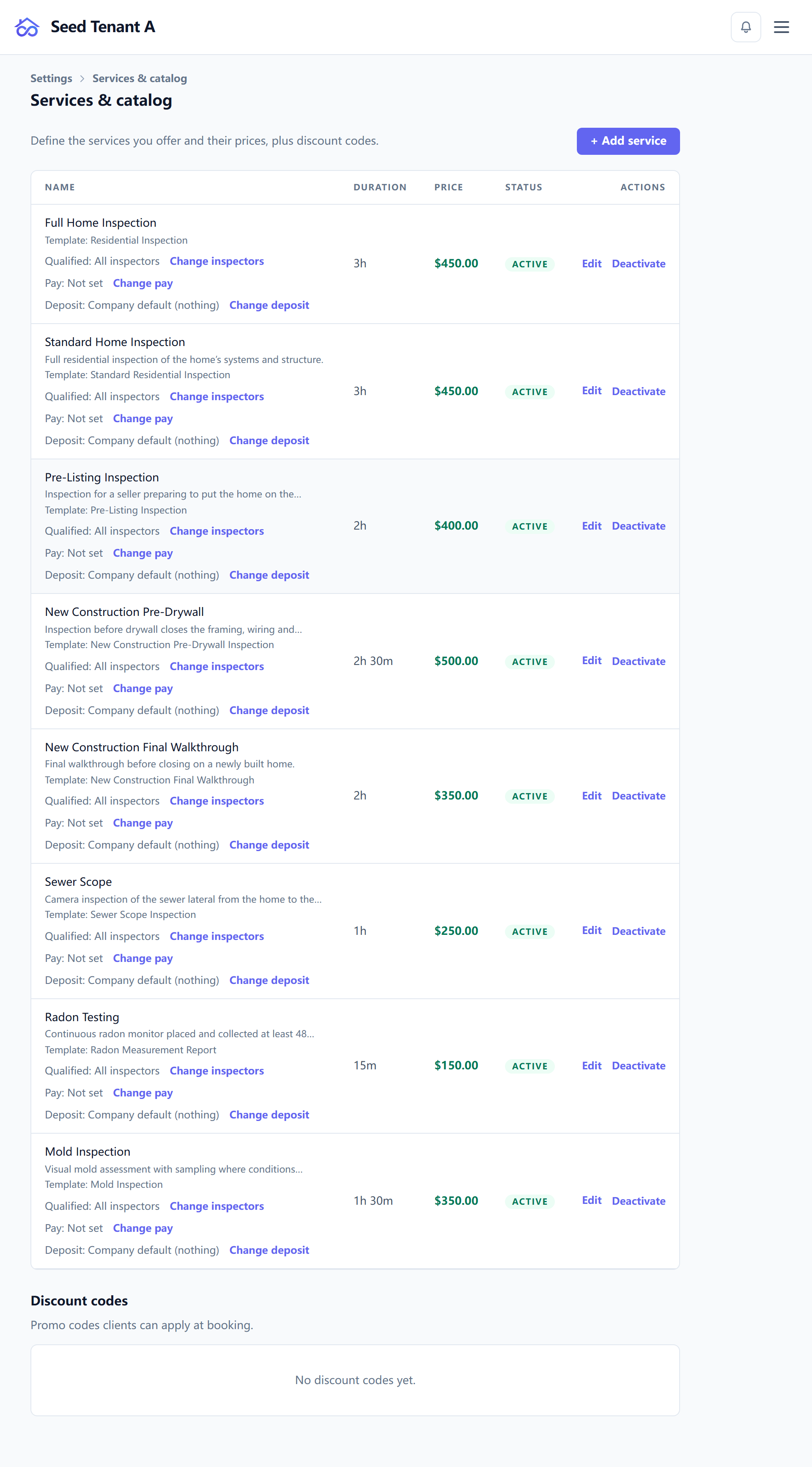
What a service carries
A service is more than a price line. Each one can name:
| Field | What it does |
|---|---|
| Price | The catalogue price, in your workspace currency |
| Duration | How long it takes — this is what the booking calendar reserves |
| Template | The inspection form this service is recorded on |
| Agreement | The agreement that goes out when this service is booked |
| Visits | The site visits this service implies |
| Deposit | This service's own deposit answer |
| Active | Whether it can still be sold; inactive keeps history intact |
The template and agreement links are the ones that save the most work. Picking a service on a booking or in the wizard then brings the right form and the right paperwork with it, instead of leaving both to be chosen by hand.
Visits matter for anything that is not a single trip. A radon test needs a drop-off and a pick-up at least 48 hours apart; a sewer scope needs nothing beyond the main visit. Attaching the visit types to the service is what makes the schedule propose the second trip rather than you remembering it.
Prices are snapshotted, not looked up
When a service goes onto a job, the price is copied onto that job, and the job keeps the copied figure. Repricing the catalogue next week changes what you quote next week; it does not silently reprice work already booked.
The price actually charged for a line is the override if the inspector typed one, otherwise the snapshot. And an invoice, once raised, outranks both — the document you sent the client is the authority over any calculation.
That chain — override, then snapshot, then invoice — is why a job's total can differ from today's catalogue and still be correct.
Deposits, in two tiers
The workspace has a deposit policy (Settings → Online booking), and each service can override it.
"Inherit" and "no deposit" are different answers, deliberately. A workspace that takes 20% on everything might have one add-on it never asks a deposit for — without both values there would be no way to say that. Leave a service alone to follow the workspace; set it to none to opt that one service out.
Who is qualified to sell what
A service can be restricted to specific people. That is what stops the booking page offering a radon test on a day when the only available inspector is not certified for it, and it is a better tool than hoping the scheduler remembers.
Discounts
The same page holds your discounts, so a repeat-client or bundle price is a catalogue decision rather than an inspector typing over a figure at the door.
Contractor types
Settings → Contractor types is a short, related list: the trades you refer work to — roofer, electrician, HVAC. They are ordered by hand, because the order they appear in is the order somebody scans them, and a trade can be mapped to the standard trade slug the repair list uses so a finding says "licensed roofer" consistently.
← Adding team members and setting permissions · Next: Scheduling, availability and the booking page