
Publishing a report
Documentation
Turning a finished inspection into a versioned, signed snapshot the client can read.
Needs:
publishOwners, managers and inspectors have it by default; an agent never does.
Part 5 of 7 in the inspection workflow.
The readiness check, and exactly what it refuses on
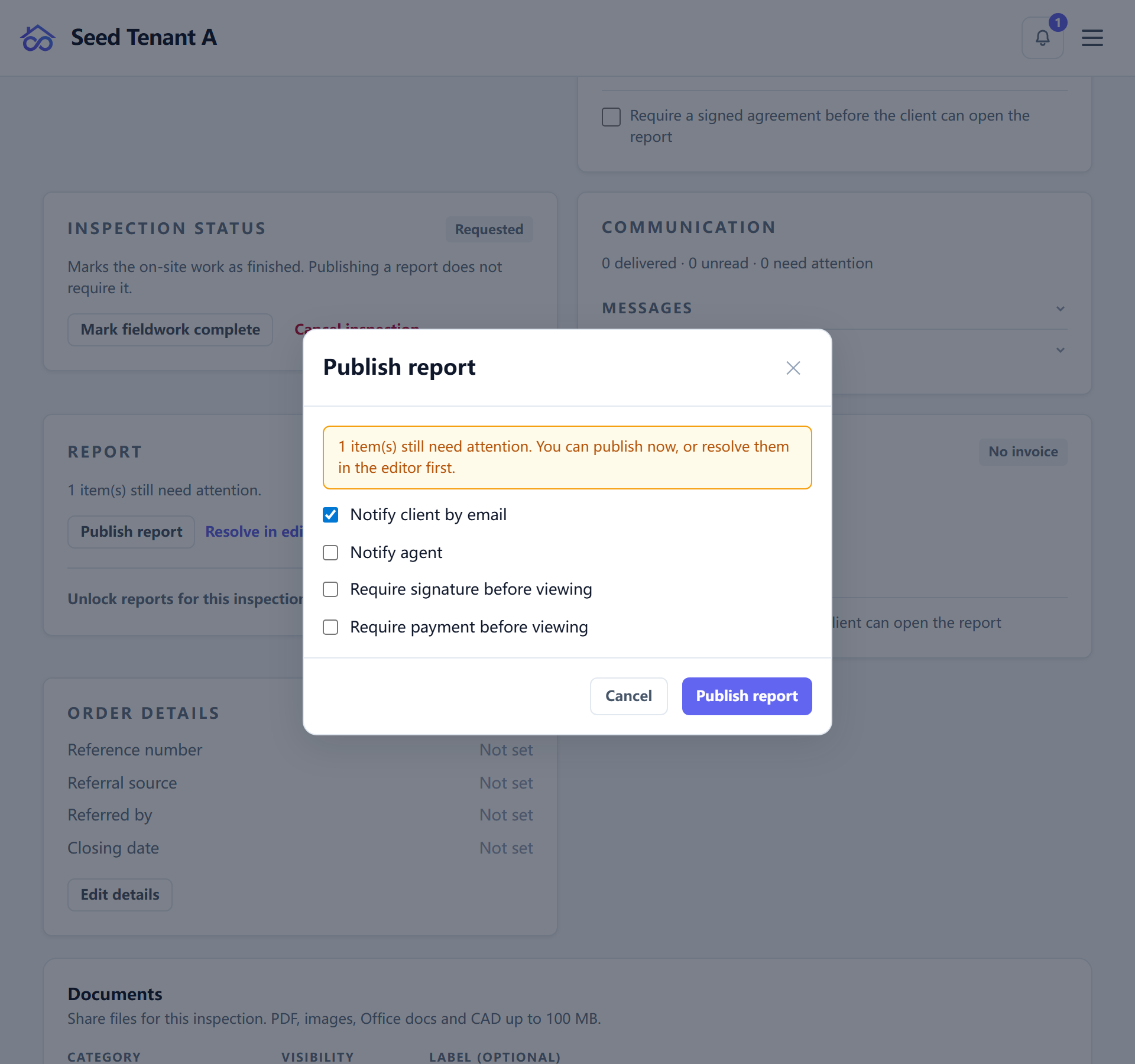
The check is narrower than "is the report finished", and knowing its scope saves a lot of hunting. It looks at defect comments you have included, and at nothing else. For each one it asks three questions:
| It checks | Blocking? |
|---|---|
| Does the defect say where it is (a location)? | Only if your workspace requires location |
| Does it say which trade it belongs to? | Only if your workspace requires trade |
| Does the comment still contain unfilled placeholders? | Always |
The first two are a workspace setting — none, location, trade, or both (Settings → Inspection). What the setting does not require still appears, as a warning rather than a block: the report will publish, and you were told.
The third is never optional, and it is the one this check exists for. A canned
comment with {{location}} still in it does not read as a mistake to a client
— it reads as a report written by a machine that nobody checked.
Every blocking entry names its section, its item, and the comment, so the fix is one click away rather than a search.
Preview, then publish
Preview renders the report as the reader will see it, against the live editing state. Publishing does something different: it releases the report and takes a sealed copy of it.
The two are not the same thing, and this is the most-assumed-wrong fact on this page. The web report a client opens from an ordinary link renders the inspection's current state — not the last snapshot. What the snapshot pins is the evidence: the versioned PDF, the diff, and the public verifier, each addressed by that version.
That is less alarming than it sounds, because the report's structure was already frozen when the inspection was created — its template and its rating system were snapshotted then, so nothing you change in the library reshapes a delivered report. What stays live is the content you are still able to edit, which is exactly what the amendment trail below exists to make visible.
What a published version freezes
Each publish writes a version row holding the whole inspection state at that instant — the inspection, the results, the units, and two things that are easy to assume are looked up live and are not:
- The inspectors' credentials as of that publish. Before this was snapshotted, an inspector who left an association silently rewrote the cover of every report they had ever delivered, including ones a client downloaded months earlier and may have been relying on.
- The report's resolved style and layout, so a later theme change does not restyle history.
The snapshot is capped at 1 MB. A publish that exceeds it fails rather than storing something partial.
Then it is sealed:
content_hash— SHA-256 over the snapshot.prev_hash— chained to the previous version of this report. Two reports on one job publish independently and each keeps its own chain.signature— Ed25519 over the hash, by your workspace's signing key, with that key's fingerprint stored on the row. Verification resolves the key named on the row, so rotating a key leaves every earlier version verifying exactly as before.verification_token— minted per publish, never reused, and the sole key to the public verifier page and the frozen PDF for that version.
Versions published before the integrity layer existed carry no hash or signature, and the verifier says so rather than implying one was checked.
Where the report is read
| URL | What it is |
|---|---|
/report-view/<tenant>/<id> |
The report. The maintained reading view, and where every link now points |
/report/<tenant>/<id> |
The old address. It redirects, keeping the query string, so links in already-sent emails keep working |
/report-gate/<tenant>/<id> |
What a reader meets when a gate is unmet — see guide 3 |
/version-diff/<id> |
What changed between two versions, walked field by field |
Republishing, and the client holding the old link
Publishing again writes a new version; the earlier one is not replaced or deleted.
A republish carries an amendment reason — up to 500 characters of "what changed". It is not a summary of the report; it is the note that appears in the report page's amendment trail and lands in the amended-report notification as the reason. A first publish has none, by construction.
For someone holding a link:
- The report link keeps working, and shows the report as it now stands. One durable address, which is what makes the client portal usable at all.
- A version's own verification token keeps pointing at that version, so a PDF someone downloaded in March still verifies as what it was in March — even though the live report has moved on.
- Republishing fires the amendment automation, which is a different trigger from the first publish — so you can tell a client "here is your report" once and "this report has been amended, and here is why" every time after.
← Writing an inspection report · All guides · Delivering the report →