
Adding team members and setting permissions
Documentation
/team is where people are invited, given a role, and adjusted afterwards.
Owners and managers can open it; inspectors see the team but not the controls.
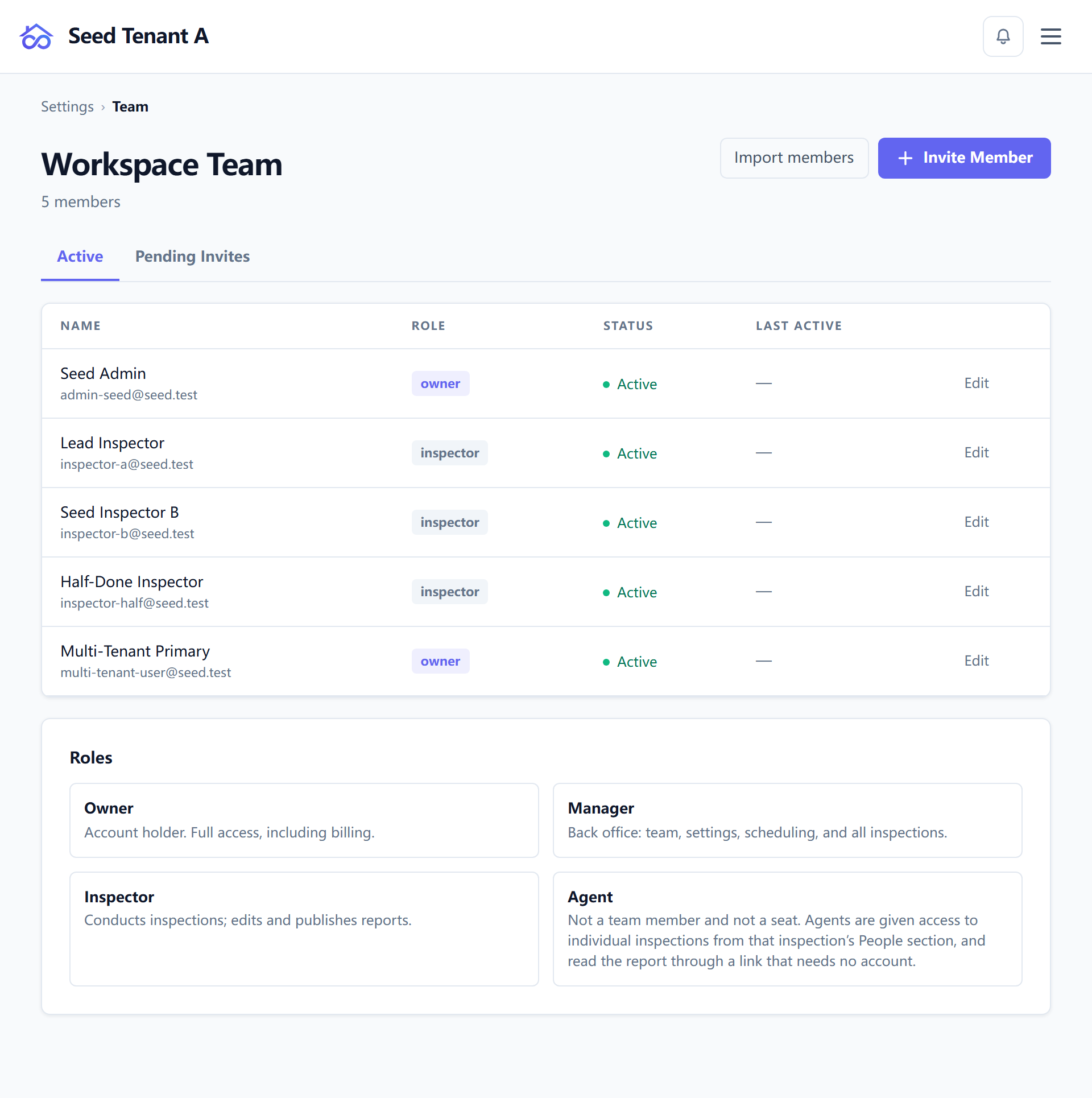
Inviting someone
An invite is sent to an email address with a role attached. Until it is accepted the person appears in the list as pending, with the date their invite expires.
Emailing them is a choice, not the mechanism. The invite drawer's Send email notification is on by default and can be turned off — for someone standing next to you, or an address you know bounces.
Either way the invitation exists, so every pending row carries an Invite link: the accept URL, shown in full and selectable, with a Copy button beside it. Read it rather than only copying it if you like — copying can fail silently in a background tab or on an insecure origin, and a link you can see is one you can always pass on by hand.
The link you see is the link that was emailed, byte for byte. There is one producer for that URL, so a deployment reached at more than one address cannot hand out two different invitations to the same person.
This page is the source of truth in both modes. On the hosted service the account area has its own team view — that is a second window onto the same membership, not a second place to manage it. Inviting here is what tells the hosted side that a seat is in use.
Applies to: Hosted only
A seat banner appears as your plan fills up, and an invite attempted at your seat limit is stopped with a route to raising it rather than failing obscurely. Self-hosted deployments have no seat count — you run the thing.
The four roles
There is no "admin" role. The administrator tier is owner + manager.
| Role | Is |
|---|---|
| Owner | The company. Cannot be limited. |
| Manager | Runs the operation day to day: schedules others, sees money, manages contacts. |
| Inspector | Does the work: writes and publishes reports, authors templates, sees what was sent on their own jobs. |
| Agent | A referral partner, not staff. Holds none of the nine permissions below. |
The nine permissions
A role is a starting point, not a cage. Each person carries nine toggles that can be adjusted individually.
| Permission | Owner | Manager | Inspector |
|---|---|---|---|
publish — publish a report |
✅ | ✅ | ✅ |
scheduleOthers — schedule and reassign other people |
✅ | ✅ | ❌ |
financial — see and act on money |
✅ | ✅ | ❌ |
manageContacts — edit the contact book |
✅ | ✅ | ❌ |
viewCommunication — see what was sent to whom |
✅ | ✅ | ✅ |
templateCreate |
✅ | ✅ | ✅ |
templateEdit |
✅ | ✅ | ✅ |
templateDelete |
✅ | ✅ | ❌ |
templateImport |
✅ | ✅ | ✅ |
Agents are not on this table on purpose. They hold none of the nine and cannot be given any — the pin is in code, not a default. A row of nine crosses would suggest an agent is a member with everything switched off, which is the wrong model: an agent is not staff and holds no seat. What they can reach is granted per inspection, and it is described from their side in Your inspections and your inspectors.
Two things here are pinned in code, not merely defaulted. An owner cannot be reduced, and an agent cannot be elevated — set a toggle against either and the pin wins. Everything in the manager and inspector columns is genuinely adjustable per person.
Two defaults are worth explaining, because they look inconsistent until you see the reasoning:
viewCommunicationis on for inspectors. An inspector needs to know whether their own report reached the buyer's agent.- Template permissions are four verbs, not one switch, because the four are
not equally recoverable.
templateEditstays on so fixing a typo does not need an owner — even though it is the irreversible one: there is no template version history, and the history you can see records that a change happened, not what it was.templateDeleteis off by default because its repair cost is rebuilding from scratch; it also refuses wherever the template is in use.
Changing someone's role
Editing a member's role and permissions is done in place. It used to require removing the person and re-inviting them, which is worth knowing only because it explains why an older instinct is wrong.
Inspection roles are a different axis
Settings → Inspection roles is not this page. Those describe how someone relates to one inspection — the client, the buyer's agent, a contractor — and what that party may see. The nine permissions above are about administering your company, which is why an agent holds none of them while still having an account and seeing their own jobs.
The party-side roles are covered from the agent's perspective in Your inspections and your inspectors.