
Agreements and signatures
Documentation
Getting the agreement signed, and why the signature stays checkable without us.
Part 3 of 7 in the inspection workflow.
One agreement covers the job, not the report
An agreement is sent as an envelope, and an envelope is bound to the inspection — the job you sold, with everything on it. That is why an unsigned agreement holds back every report on that job and not only the report for the service the agreement names.
A job can carry more than one envelope (a second service added later, a re-inspection agreed separately), and each envelope can carry more than one signer. Two knobs decide what "signed" means:
- The signer list — who is asked. Each signer gets their own link, so who signed is attributable to a person rather than to whoever opened the email.
- The completion policy —
allsigners, or anyoneof them. A single-recipient envelope defaults toone; a multi-recipient one toall. It can be changed while nothing has been signed yet, and never after — the question it answers is whether a signature already collected was enough.
Signer roles are client, co_client, agent, other. The role is a
label, not a permission: it is printed beside the signature and shown in the
verifier's roster, and nothing in the system branches on it. Every signer holds
exactly the same token-scoped rights.
Sending it
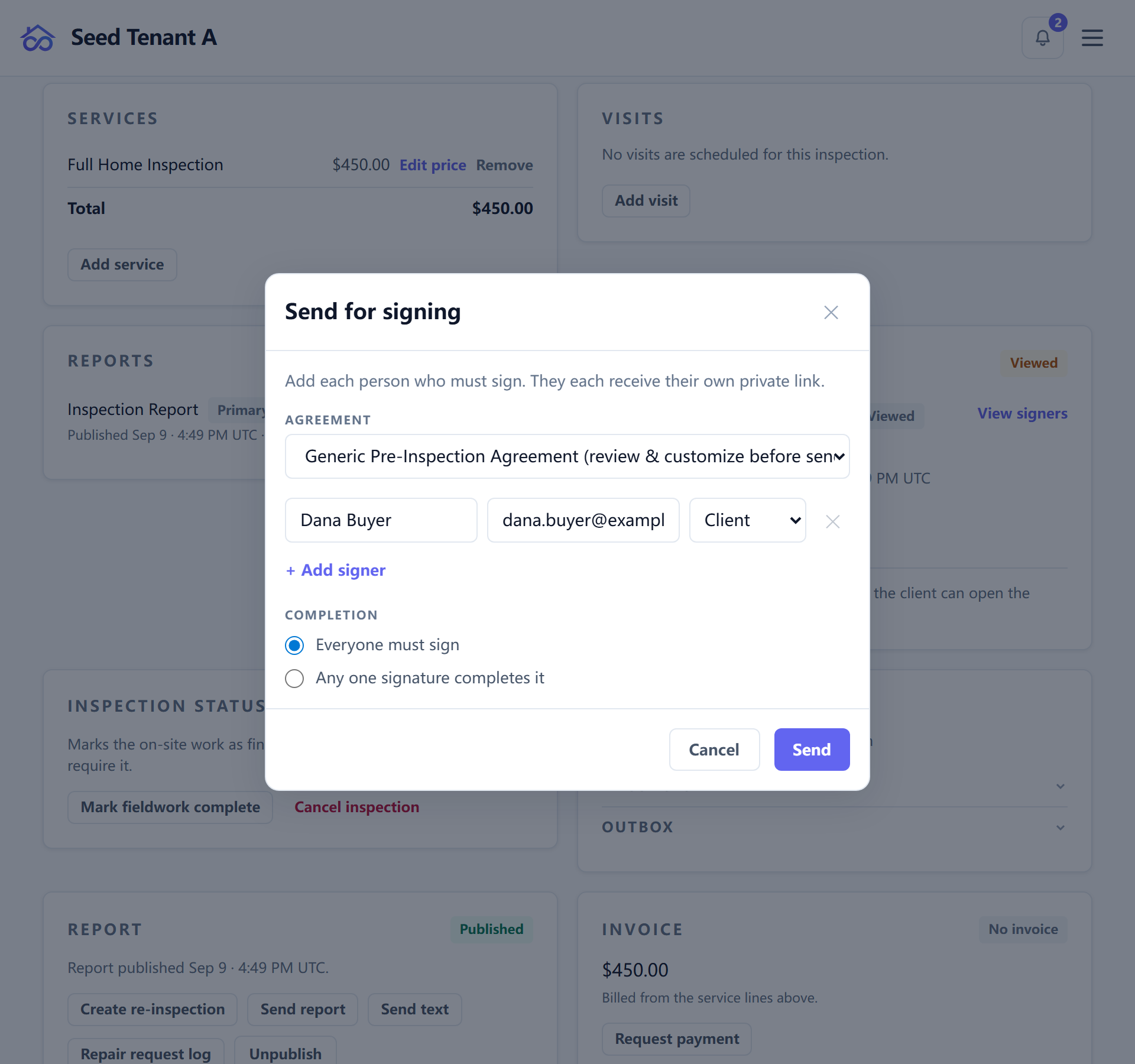
Agreement templates live in the library at /library/agreements. Sending
copies the template body into the envelope as an immutable snapshot, and
hashes that snapshot.
Everything downstream — the signing page, the checkout page, the signed PDF, the public verifier — renders that snapshot, never the live template. Editing the library template afterwards therefore cannot change what an already-sent envelope shows, or what its hash covers.
Recorded the same way, and for the same reason: the contracting identity as of the day it was sent — the legal name and company name the agreement was made under. Where an old envelope has none, it renders as not recorded. It is never backfilled with today's name, because that would assert something untrue about what was signed.
An inspector can optionally pre-sign an envelope before it goes out.
Each signer's link can be given an expiry, and can be revoked. Both fail closed: an expired or revoked link stops resolving, rather than resolving to a page that quietly still works.
What the client sees
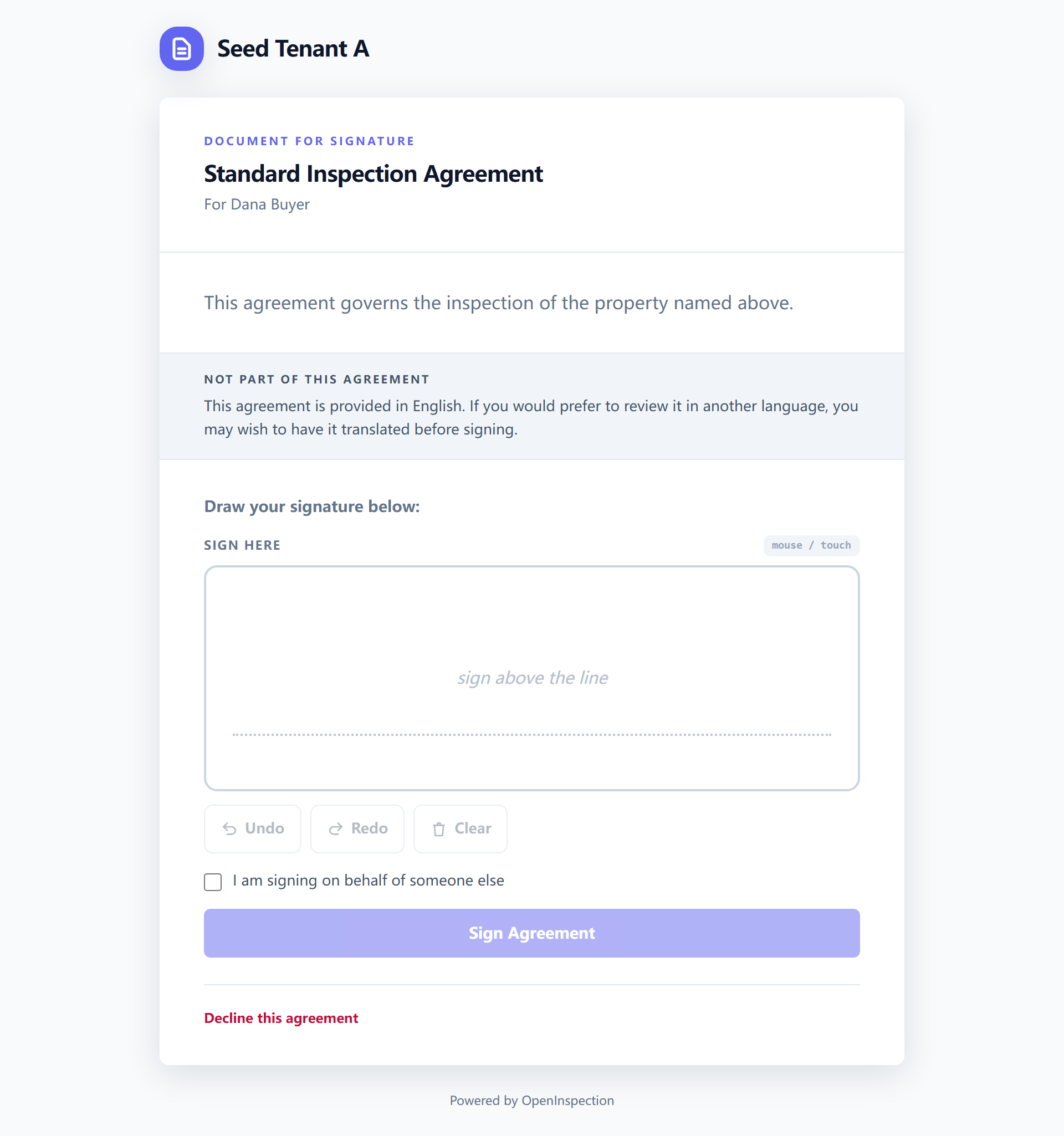
The signer opens their own link and gets the agreement text, a place to draw a signature, and two ways out: sign, or decline with a reason.
Someone signing for another party can say so on the page — the name they are signing on behalf of, and the disclaimer they were shown, are both stored with the signature rather than inferred later.
Signing captures, alongside the drawn signature, the time, the IP address, the browser's user agent, and whether the signature was made remotely or in person. That set is evidence — nothing in the product branches on any of it.
What signing releases, and what it does not
Signing satisfies one gate. It is not a payment, and it is not a confirmation of anything else on the job:
- Where agreement required is on, signing releases the report. Where it is off, the report was never waiting on it.
- Where payment required is also on, the report stays held until the money arrives; a signing link on such a job is a sign-and-pay link.
- Where the booking policy require signed agreement is on, the booking itself is not confirmed until the agreement is signed.
Both gates and their per-inspection unlock are covered in Managing an inspection.
Verifying a signature later
Every signing event is appended to a hash-chained, Ed25519-signed audit log — one chain per envelope, each row's hash covering the row before it. Editing any row breaks the chain at that row and invalidates the signature over it, which is what makes this more than a checksum.
Each tenant has its own signing keypair, and retired keys are never deleted. Every audit row records the fingerprint of the key that sealed it, and the verifiers resolve that key rather than today's one — so rotating a key cannot orphan the evidence it already sealed.
There are three ways to check a signature, and they need progressively less from us:
| Where | What it is |
|---|---|
/verify/<envelope-id> |
The envelope's own verification page. |
/v/<token> |
The short link behind the QR code printed on the signed PDF — hand the paper to someone and they can check it. |
/verify |
The offline verifier. Drop in the audit-trail export and it verifies the chain and the signatures in your browser, against the public key inside the export. |
The offline path is the point of the whole design: the tenant's public key is
also served from /.well-known, and the export carries it, so a signature stays
checkable by a third party who does not trust us — or years after this
deployment has stopped answering.
Two things a reader of an old envelope should know:
- A signature can be destroyed on schedule while the fact of signing
survives. Past its retention window the drawn signature image is erased;
the envelope still says
signed, and the audit chain still attests that it was. An erasure request under privacy law does the opposite — it keeps the signature, because that is retained evidence. - Envelopes signed before the snapshot feature carry no snapshot, and the verifier says so rather than showing today's template as though it were what was signed.
← Managing an inspection · All guides · Writing an inspection report →